Key Takeaways
- Your primary image is the single highest-leverage element on your entire listing. It determines whether anyone clicks through from search results across organic, advertisement, and every other traffic channel.
- Amazon image compliance is the floor, not the ceiling. A compliant image that nobody clicks on is still a failed image.
- Your secondary images should be driven by competitor negative review analysis, not creative brainstorming. The market tells you what to show. You do not guess.
- Image quality directly affects performance across all 5 traffic channels: organic, advertisement, promotion, influencer, and off-channel. This is a traffic economics problem, not a photography problem.
- Diagnose your images within the full system. Primary image CTR, conversion rate, ad performance, return rate. Do not optimize in isolation. Identify the actual bottleneck first.
Most sellers treat Amazon images as a compliance task. Check the boxes, upload the photos, move on to ads.
That is backwards.
Your primary image is the first and highest-leverage conversion element on your entire listing. It appears in every search result, every ad placement, every deal page. If your primary image does not generate clicks, nothing else on your listing matters. Not your bullet points. Not your A+ content. Not your ad budget.
When we audit brands at Flapen, primary image click-through rate is the second thing we diagnose, right after listing quality. The pattern is clear across 300+ brand launches. Sellers pour money into ads while their primary image underperforms category average CTR. That is spending money to send traffic to a listing nobody clicks on.
This guide covers every technical image requirement Amazon enforces. But the real value is understanding how your images fit into a conversion system that spans all 5 traffic channels. Compliance gets you listed. Strategy gets you sales.
If you want the gallery planned as a sequence rather than a checklist, our product images and enhanced content guide walks through ordering images so each one answers the next objection a shopper has.
Why your primary image is the highest-leverage element on your listing
Your primary image is the gatekeeper to your entire listing. It appears in organic search results, in Sponsored Products placements, in deal pages, and in every external link that drives traffic to your product. Before a customer reads a single word of your title, they see your primary image and make a click-or-skip decision in under a second.
This is why primary image CTR sits at position two in the Brand Audit Framework we use across every client brand. The full diagnostic sequence runs: listing quality, primary image CTR, conversion rate, ad performance, traffic channel activation, pricing, return rate. If your CTR is below category average, nothing downstream gets a chance to perform.
Here is what makes this so powerful. CTR compounds. Every impression your listing receives, whether from organic ranking, Sponsored Products, Sponsored Brands, or deal placements, runs through the same primary image. A small improvement in CTR multiplies across every single impression from every traffic channel.
We have seen this pattern consistently across 300+ brand launches. Listings with optimized primary images outperform on both ACOS and conversion rate because the click is the first conversion event. Everything else follows from it. We broke the numbers down further in Amazon product images that actually convert.
This is not a photography discussion. This is a traffic economics discussion. Most sellers are leaving it on the table.
Amazon main image requirements in 2026
Your main image has the strictest rules on the platform. These are non-negotiable. Violate them and Amazon suppresses your listing. You lose visibility across every traffic channel.
| Requirement | Specification |
|---|---|
| Background | Pure white (RGB 255, 255, 255) |
| Product coverage | Product must fill 85% or more of the image frame |
| Content shown | Product only. No props, accessories, or items not included in the purchase |
| Text and graphics | No text, logos, watermarks, badges, or borders |
| Image quality | High resolution, no blurriness or pixelation |
| Product state | Fully assembled, out of packaging (unless packaging is a key product feature) |
| Human models | Must be a real person (no mannequins, drawings, or illustrations) |
| Additional restrictions | No Amazon logos, trademarks, or badges. No suggestive or offensive content |
These requirements are the floor. A compliant image that does not generate clicks is still a failed image. The difference between a compliant main image and an optimized main image is the difference between showing up in search results and actually getting clicked.
One change worth knowing about heading into 2026: enforcement is no longer just suppression. Amazon now reserves the right to replace detail-page images it judges non-compliant, and Brand Registry does not exempt you. The documented triggers are the obvious ones — a thin image set, files under the 1,000 px zoom threshold, blurry or low-quality photography, and main images on anything other than a pure white background. The defense is the same either way: own every slot with assets that clear the bar, so there is nothing for Amazon to improve on.
One practice I consider non-negotiable: A/B test your main image through Amazon's Manage Your Experiments tool in Seller Central. Test different angles, compositions, lighting, and product positioning. Even a 5% improvement in CTR compounds across every impression your listing receives. This is not optional. It is one of the highest-ROI activities you can run on your listing.
Secondary image guidelines and strategy
Amazon gives you 7 to 9 image slots depending on the category. Most sellers use 2 or 3. That is one of the most common mistakes we see in brand audits. Every empty slot is a missed opportunity to answer a customer question, overcome a buying objection, and improve conversion rate.
Here is where most image advice goes wrong. Educators tell you to "plan a visual story" or "get creative with your gallery." That is guesswork.
Your secondary images should be driven by competitor negative review analysis. This is the Rating Gap Method applied to visuals. Read the negative reviews of the top 5 to 10 competitors in your market. What are customers complaining about? What questions do they have before buying? What surprises them when the product arrives?
Reading reviews as free product data is a discipline in itself. Our reviews and feedback guide covers how to separate the two review channels and feed real complaints back into the product, not just the gallery.
Each secondary image should address one specific complaint or objection the market has already surfaced. You do not guess what to show. The data tells you.
| Image Type | Purpose | When to Use |
|---|---|---|
| Lifestyle / In-use | Show the product in real-world context and scale | Every listing. Reduces "is this what I expected?" returns |
| Infographic / Feature callout | Highlight specific product features, dimensions, materials | When negative reviews of competitors cite confusion about features or specs |
| Comparison | Show your product versus alternatives | When the Rating Gap reveals a clear, demonstrable advantage |
| Close-up / Detail | Show quality, texture, construction | When competitor reviews mention quality concerns or durability complaints |
| Size / Scale reference | Show product next to a common object or on a human model | When competitor reviews mention "smaller than expected" or "bigger than pictured" |
| Packaging / What's included | Show everything in the box | When competitor reviews cite missing components or unclear contents |
| A+ Content / Brand Story | Rich media below the fold for enrolled brands | Every Brand Registered listing. Reinforces trust and answers deeper objections |
The strategy is simple. Mine the competitor reviews. Identify the top 5 to 7 complaints and questions. Build one image to address each one. That is feedback-driven innovation applied to your listing visuals.
If you are still deciding how to split the gallery between studio shots and in-context photography, we worked through that trade-off in main versus lifestyle Amazon images.
Brand Registered sellers also get a video slot in the same carousel. Treat it as an addition to a full image stack, not a substitute for one. One carousel video alongside your 7 to 9 images is the right shape. Three videos propped up by four images is not.
One more thing. Mobile-first design is non-negotiable. The majority of Amazon traffic comes from phones. If the text on your infographic images is too small to read on a 6-inch screen, you wasted the slot.
Image dimensions and file format specifications
Technical specifications are straightforward. Get them right once and move on.
| Specification | Requirement |
|---|---|
| Minimum dimensions | 1,000 px on the longest side (enables zoom) |
| Amazon's stated optimal | 1,600 px or more on the longest side |
| Recommended dimensions | 2,000 x 2,000 px |
| Maximum file size | 10 MB |
| Accepted formats | JPEG (.jpg), PNG, TIFF, GIF (non-animated) |
| Color profile | sRGB |
| Aspect ratio | 1:1 recommended for consistent display across devices |
Amazon's floor is 1,000 px on the longest side, which is what unlocks zoom, and it names 1,600 px or more as optimal. I recommend going past both and shooting 2,000 x 2,000 px. At that resolution, customers can zoom in and see detail, which reduces "is this quality?" objections and lowers return rate. A 1:1 aspect ratio keeps your image consistent across desktop, mobile, and ad placements.
How your images affect performance across all 5 traffic channels
Most sellers think about images in the context of organic search only. That means they are leaving money on the table across 4 other channels.
Now let me show you what this looks like with real data across each channel.
Organic. Your primary image CTR determines whether you capture organic impressions. Amazon's algorithm rewards listings that get clicked. Low CTR means lower organic ranking over time, regardless of your keyword relevance.
Advertisement. Image quality is the single biggest variable in ad CTR across Sponsored Products, Sponsored Brands, and Sponsored Display. Better images mean more clicks per dollar spent. That directly lowers your cost of customer acquisition on every ad format: text, image, and video ads. We track this across 120+ KPIs at Flapen and the correlation is consistent.
Promotion. Deal and coupon placements still show your primary image. If you are running a Lightning Deal or a coupon and your primary image is weak, you are wasting promotional spend on impressions that do not convert to clicks.
Influencer. Creators in the Amazon influencer program choose products that photograph well and present clearly. Better images make your product more attractive for creator partnerships. A product with poor images rarely gets picked up, regardless of its margins.
Off-channel. External traffic from blogs, social media, and email campaigns still lands on your Amazon listing. Your images close the sale. The blog drove the click, but the listing converts the customer. If your images are weak, that off-channel traffic investment is wasted.
This is why image optimization is not a creative exercise. It is a traffic economics exercise that affects your cost of customer acquisition across every channel you activate.
How to diagnose whether your images are the bottleneck
Here is how operators actually think about this. You do not optimize images in isolation. You diagnose the full system and identify the actual bottleneck.
The Brand Audit Framework runs a specific diagnostic sequence when a listing underperforms:
- Listing quality. Copy, keywords, backend search terms, A+ content.
- Primary image CTR. Is your main image generating clicks at or above category average?
- Conversion rate. Are visitors buying once they land on your listing?
- Ad performance. ACOS targets by product stage, keyword strategy, ad format mix.
- Traffic channel activation. Which of the 5 channels are active? Are there untapped channels?
- Pricing and profitability. Pricing power, true cost of customer acquisition, margin analysis.
- Return rate. Is the product itself the problem?
So the real question becomes: where is the actual bottleneck?
If your CTR is below category average but your conversion rate is fine once people land on the listing, the primary image is likely the problem. Fix that first.
If your CTR is strong but conversion rate is low, the problem is downstream. It could be secondary images, A+ content, pricing, reviews, or the product itself. Improving your primary image will not fix a conversion problem that lives further down the funnel.
If you want the listing side of that diagnosis run for you, Flapen's listing optimization scrapes any live listing, scores it, and tells you which element is actually holding it back.
This is exactly the diagnostic process we used with Aubrey's brand. A 40% conversion rate increase within the first month came from diagnosing the real bottleneck, not from randomly improving everything at once.
Do not guess. Diagnose. Then fix the one thing that moves the needle most.
Common image mistakes we see across 300+ brand launches
These are not theoretical tips. These are patterns we see repeatedly when auditing real brands at Flapen. We catalogued the worst offenders separately in why your Amazon images are killing your conversion rate.
Using 2 to 3 images when Amazon gives you 7 to 9 slots. Every empty slot is a missed opportunity to answer a customer question. Listings with full image stacks consistently outperform on conversion rate. This is one of the easiest fixes in any brand audit.
Ignoring mobile layout. Text on infographic images that is legible on a desktop monitor becomes unreadable on a phone. The majority of Amazon shoppers are on mobile. If your text requires zooming, most people scroll past.
Secondary images that look great but do not address actual customer objections. Beautiful lifestyle shots mean nothing if they do not answer the specific questions visible in competitor reviews. Use the Rating Gap Method. Let the data drive your image strategy, not your designer's mood board.
A main image that is compliant but not optimized for CTR. Compliant is not the same as effective. Your image can pass every Amazon requirement and still underperform because the angle, lighting, or composition does not stand out in a grid of competing products. A/B test relentlessly.
Misleading images that drive up return rate. Images that exaggerate size, color, or quality generate clicks but also generate returns. Return rate is a kill criteria input. A product with a 15%+ return rate driven by misleading images is not a marketing problem. It is a profitability problem that no amount of ad spend fixes. Run your return rate through the Amazon profit calculator and you can see exactly where the margin goes.
Never A/B testing the main image. Your primary image is the highest-leverage element on your listing and most sellers set it once and never test alternatives. Manage Your Experiments exists specifically for this. Use it.
Frequently asked questions
Can I include text on my Amazon product images?
Only on secondary images. Your main image must have a pure white background with no text, logos, badges, or watermarks. Secondary images allow text overlays for infographics and feature callouts. Keep text large enough to read on mobile since the majority of Amazon traffic comes from phones.
How many images should I upload per listing?
Use all 7 to 9 slots. Each image should answer a specific customer question or reduce a specific buying objection. Using 1 or 2 images is one of the most common mistakes we see in brand audits. Every empty slot is a missed opportunity to improve conversion rate.
Are 3D renders allowed for Amazon main images?
Amazon allows renders in select categories like tech and home, but real product photography is safer and generally converts better. If you use renders for secondary images, make sure they accurately represent the product. Misleading visuals drive up return rates, which kills profitability regardless of how many units you sell.
What happens if my images do not meet Amazon requirements?
Amazon may suppress your listing, hide it from search results, or issue a policy warning. Repeated violations affect account health metrics. A suppressed listing means zero visibility across all 5 traffic channels. Fix compliance issues before spending a dollar on ads.
Should I A/B test my main image?
Yes. Your primary image is the single highest-leverage element for click-through rate in search results. Use Amazon's Manage Your Experiments tool in Seller Central to test different angles, compositions, and lighting. Even a small CTR improvement compounds across every impression your listing receives from organic, advertisement, and all other traffic channels.
Do I need professional photography or can I shoot images myself?
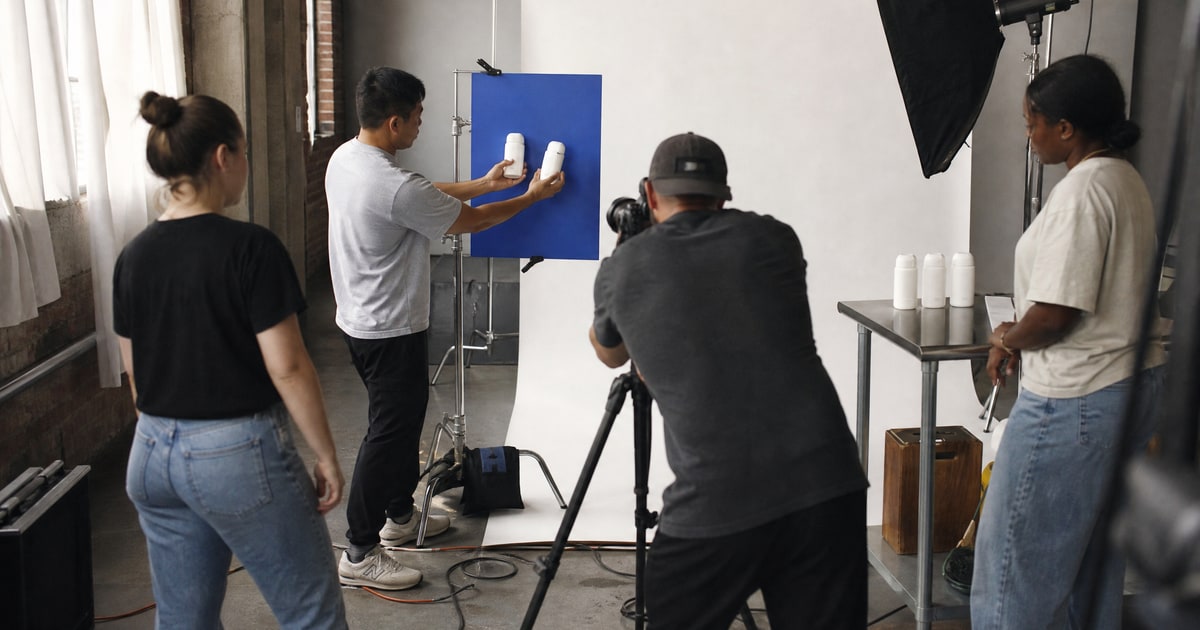
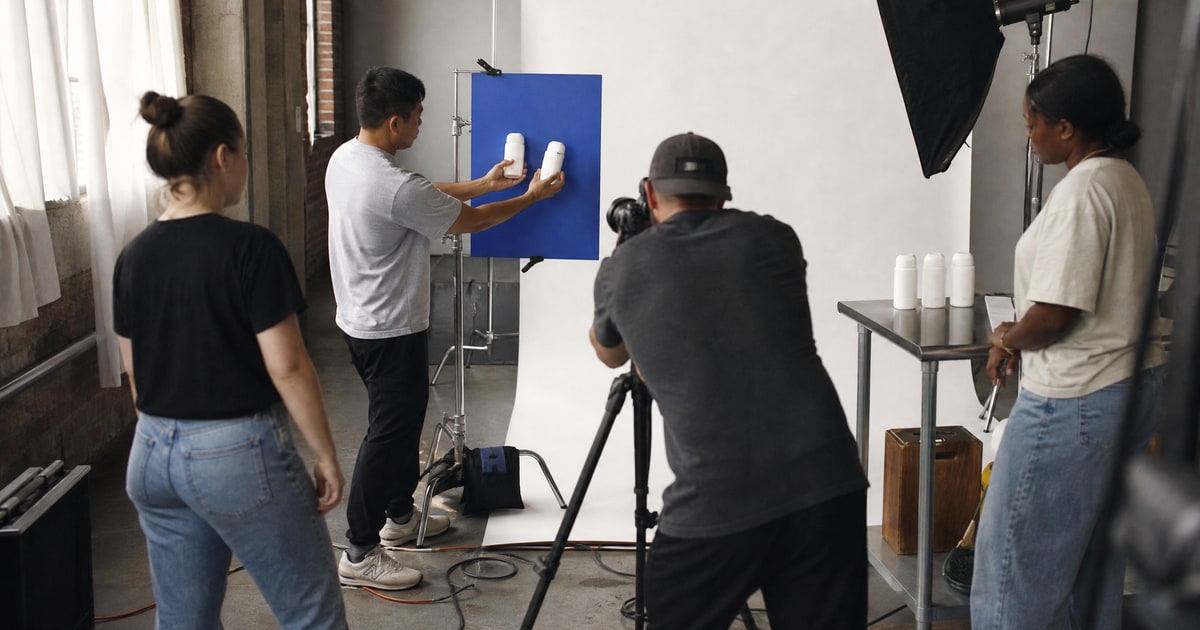
Professional photography is not optional for a serious brand launch. Poor image quality directly lowers your click-through rate and conversion rate. We shoot in our Dubai production studio because we have seen the data across 300+ brands. Listings with professional images consistently outperform DIY photography on every metric that matters. If you are shooting your first round yourself, our product photography walkthrough covers how to get usable results without a studio.
Did Amazon change image policies recently?
The technical specs have held steady, but enforcement has tightened. Amazon now reserves the right to replace detail-page images it judges non-compliant, and being Brand Registered does not exempt your listing. The documented triggers are a thin image set, files below the 1,000 px zoom threshold, blurry or low-quality photography, and main images on anything other than a pure white background. Automated suppression has also gotten less forgiving with off-white backgrounds, overlay text, and low frame fill. Owning every slot with professional assets is the defense.
Here is what you should do this week. Pull up your listing in Amazon search results. Look at your primary image next to the competition. Be honest with yourself. Would you click on yours? Then check your actual CTR data in Seller Central. If it is below category average, that is your single highest-leverage fix before you spend another dollar on advertising.
Your images are not a compliance checkbox. They are the gatekeeper to every traffic channel you activate. Organic, advertisement, promotion, influencer, off-channel. All of it flows through the same images. Optimize them with the same rigor you bring to your ad spend and your product research.
If you want to see exactly what a complete Amazon launch looks like from start to finish, our free product launch guide covers every step. When you would rather hand the whole launch to a team, that is what Amazon FBA Launch is built for.
And if you simply do not have the time to do this yourself and you want a team that does this every single day to manage your brand, that is what we do at Flapen Agency. Book a call.